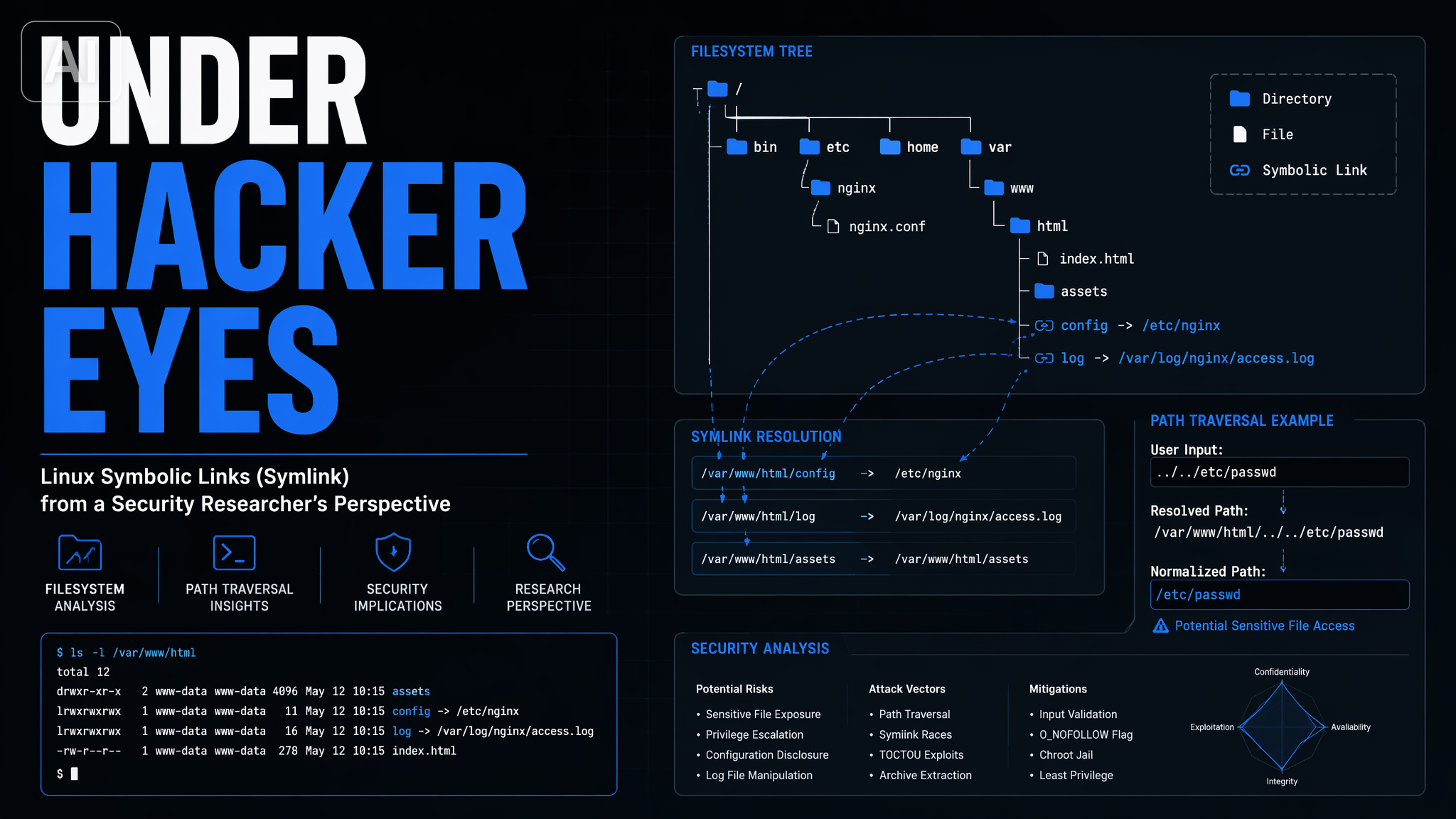
What is a Symbolic Link?
A symbolic link (or symlink) is a special type of file that acts as a pointer to another file or directory. Unlike copying a file, a symlink is just a reference — the original data lives in one place, and the symlink is a shortcut to it.
ls -la /usr/local/bin/python# lrwxrwxrwx 1 root root 7 Jan 15 10:00 /usr/local/bin/python -> python3The -> arrow in ls output tells you a file is a symlink and shows its target.
Creating Symbolic Links
Use the ln command with the -s flag to create a symlink:
# ln -s <target> <link-name>ln -s /path/to/original /path/to/linkExamples:
# Link a config file into your home directoryln -s /etc/nginx/nginx.conf ~/nginx.conf
# Link a binary into your PATHln -s /opt/my-tool/bin/tool /usr/local/bin/tool
# Link a directoryln -s /var/www/html/current /var/www/html/latest
Symbolic Links vs Hard Links
| Feature | Symbolic Link | Hard Link |
|---|---|---|
| Cross-filesystem | Yes | No |
| Points to | Path | Inode |
| Breaks if target deleted | Yes | No |
| Works with directories | Yes | No (usually) |
Shows in ls -la | Yes (->) | No |
When to use a symlink:
- Pointing across filesystems
- Linking to directories
- Creating human-friendly aliases for versioned paths (e.g.
python -> python3.12)
When to use a hard link:
- Creating a true copy-on-write backup that survives the original being deleted
- Saving disk space with duplicate files on the same filesystem
Checking if a File is a Symlink
# -L returns true if path is a symlinkif [ -L /usr/local/bin/python ]; then  echo "It's a symlink"fi
# Find the real path a symlink resolves toreadlink -f /usr/local/bin/python
Broken Symlinks
A symlink becomes broken (or dangling) when its target no longer exists:
ln -s /tmp/does-not-exist /tmp/broken-linkls -la /tmp/broken-link # shows the link, but target is missingcat /tmp/broken-link # No such file or directoryFind all broken symlinks in a directory:
find /var/www -xtype lUpdating a Symlink
You cannot overwrite a symlink with ln -s — it errors if the link already exists.
Use -f (force) to replace it atomically:
ln -sf /opt/my-tool-2.0/bin/tool /usr/local/bin/toolThe -f flag makes the swap atomic, which is important for services checking the link at runtime.
Real-World Use Cases
1. Managing multiple Python versions:
ln -sf /usr/bin/python3.12 /usr/local/bin/pythonln -sf /usr/bin/python3.12 /usr/local/bin/python32. Zero-downtime deployments:
# New release lands in /var/www/releases/v2ln -sf /var/www/releases/v2 /var/www/current# Nginx serves /var/www/current — now points to v23. Dotfile management:
# Keep your config in a Git repo, symlink into placeln -s ~/dotfiles/.bashrc ~/.bashrcln -s ~/dotfiles/.vimrc ~/.vimrcSummary
Symbolic links are one of Unix’s most useful primitives. They let you:
- Create aliases without duplicating data
- Abstract over paths so deployments and upgrades become a single
ln -sf - Build dotfile management systems backed by Git
Mastering symlinks is a small investment with large returns in shell scripting and system administration.